Quick Start
Get up and running with Agentic Workers in minutes
Quick Start
Welcome to Agentic Workers! This guide will help you get up and running with AI-powered automation in just a few minutes.
What is Agentic Workers?
Agentic Workers is a platform that lets you create personalized AI agents that can:
- Automate workflows across your favorite tools (Google Docs, Slack, Notion, and more)
- Execute multi-step tasks using templates
- Run workflows in ChatGPT, Claude, Gemini, or directly on Agentic Workers
- Save and reuse prompts in your personal library
Quick Start: Create Your First Agent
Step 1: Sign Up or Log In
If you're new, you'll be guided through our onboarding flow which takes less than 2 minutes. If you already have an account, log in to access your dashboard.
Step 2: Create Your Agent
-
Navigate to the Agents section from the sidebar
-
Click "Create Agent" or "New Agent"
-
Describe what you want your agent to do, for example:
- "A customer support agent that retrieves order information"
- "A social media manager that creates and schedules posts"
- "A research assistant that summarizes findings"
-
Select a character image and customize your agent's persona

- Click "Save" to create your agent
Step 3: Connect Integrations (Optional)
To enable your agent to interact with external tools:
- Go to Integrations from the sidebar
- Click on any service you want to connect (Google, Slack, Notion, etc.)
- Follow the OAuth flow to authorize access
- Your agent will automatically have access to connected tools
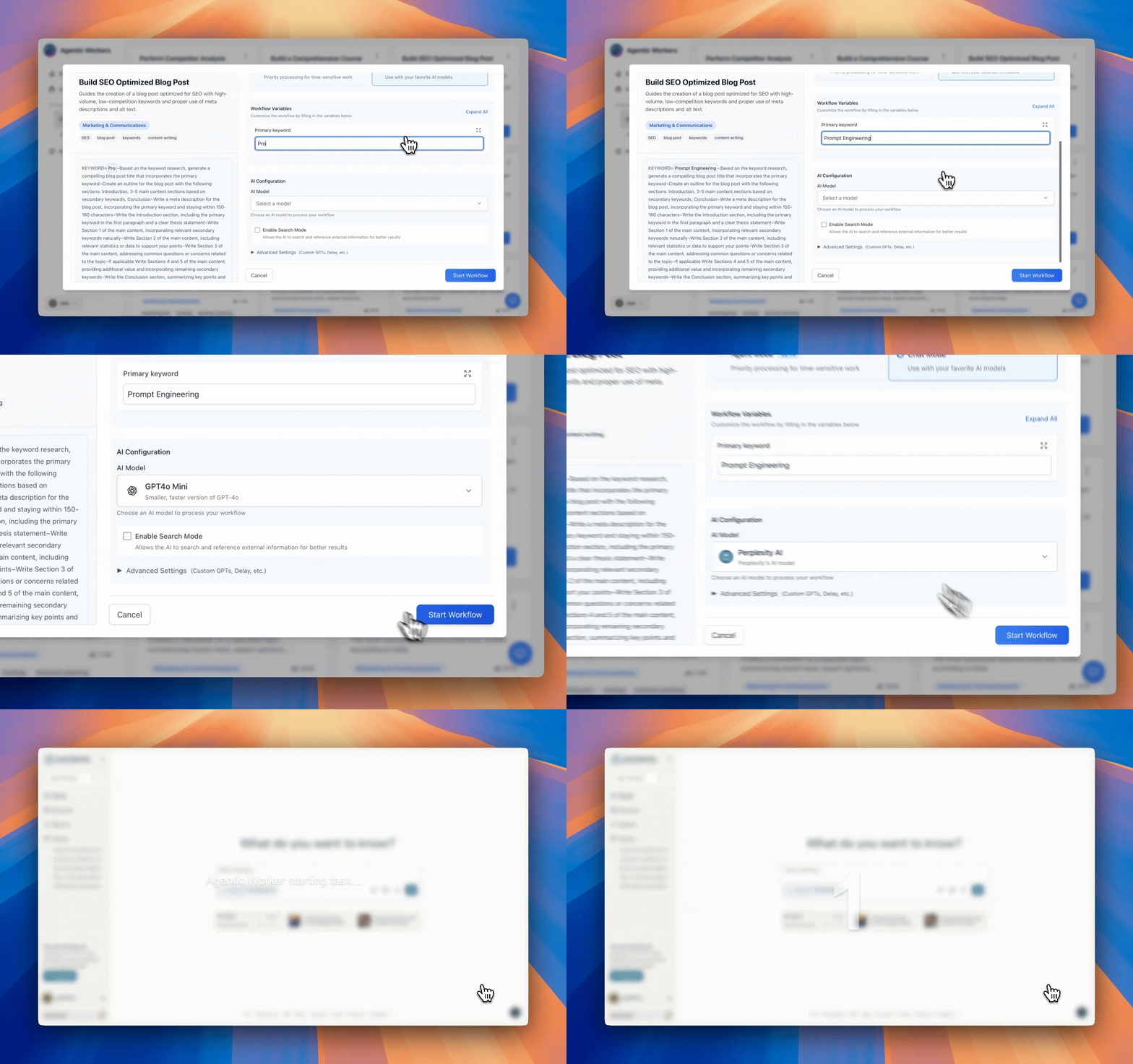
Step 4: Run Your First Workflow
- Browse the Prompt Library to find pre-built workflows
- Click on any template to view details
- Fill in any required variables
- Click "Start Workflow" to execute
Navigation Basics
Main Sections
- Dashboard: Overview of your agents, workflows, and activity
- Agents: Create and manage your AI agents
- Prompt Library: Browse and search for workflows
- Integrations: Connect external services and tools
- Activity: View history of workflow executions
Execution Modes
Agentic Workers supports two execution modes:
- Chat Mode: Run workflows directly in ChatGPT, Claude, Gemini, or Perplexity using our browser extension
- Agent Mode: Execute workflows directly on Agentic Workers with ultra-fast inference
Next Steps
Now that you've created your first agent, explore these guides:
- Creating Agents - Learn how to customize your agent's personality and capabilities
- Using the Prompt Library - Discover pre-built workflows
- Chat Mode vs Agent Mode - Understand the difference between execution modes
- Connecting Integrations - Enable your agent to use external tools
Need Help?
For questions or support, please reach out through our community or support channels. Complete the onboarding flow for a guided walkthrough.
Ready to automate? Let's build something amazing! 🚀