Agent Knowledge
Upload documents to enhance your agent's knowledge base
Agent Knowledge
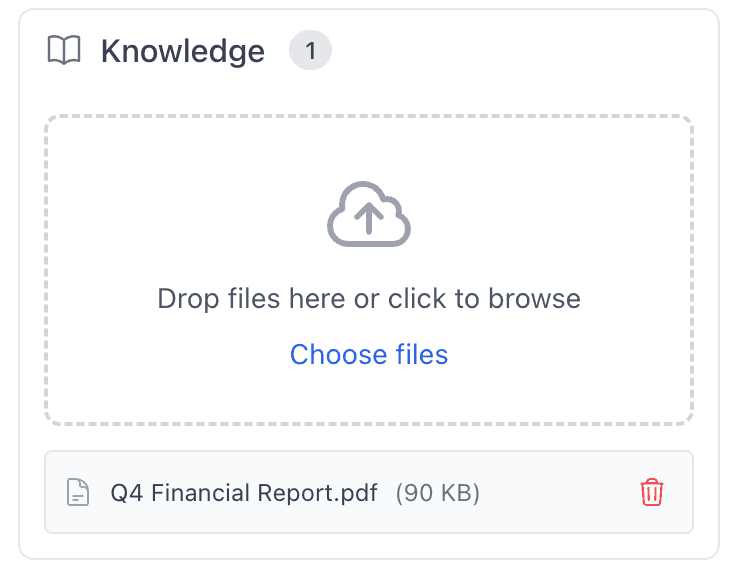
The Knowledge feature lets you upload documents to your agents, giving them access to specific information about your business, products, or domain expertise.
What is Agent Knowledge?
Agent Knowledge allows you to:
- Upload documents: PDFs, text files, and more
- Enhance context: Give agents specific information
- Improve accuracy: Reduce hallucinations with factual data
- Customize expertise: Tailor agents to your domain
When you upload documents, agents can reference this information in their responses, making them more accurate and relevant to your specific needs.
Uploading Documents
Supported Formats
- PDF: Documents, reports, manuals
- Text files: .txt, .md files
- Other formats: Check current support
How to Upload
- Go to your Agent settings
- Navigate to Knowledge section
- Click "Upload Document" or "Add Knowledge"
- Select file(s) to upload
- Wait for processing
- Documents are now available to your agent
File Size Limits
- Check current limits in the upload interface
- Large files may take time to process
- Consider breaking very large documents into sections
How Agents Use Knowledge
Automatic Retrieval
When your agent responds:
- It analyzes the query
- Searches uploaded documents for relevant information
- Uses found information in the response
- Cites sources when possible
Context Enhancement
Uploaded knowledge:
- Provides factual context
- Reduces hallucinations
- Improves accuracy
- Enables domain-specific responses
Example
Uploaded Document: Company product manual
User Query: "What are the specifications of Product X?"
Agent Response: Uses information from the uploaded manual to provide accurate specifications.
Best Practices
1. Organize Documents
- Group related documents: Upload documents by topic
- Name clearly: Use descriptive filenames
- Update regularly: Keep documents current
- Remove outdated: Delete obsolete documents
2. Quality Over Quantity
- Focus on relevance: Upload only useful documents
- Avoid duplicates: Don't upload the same information twice
- Keep current: Update documents regularly
- Review content: Ensure accuracy before uploading
3. Document Structure
- Well-organized: Use clear headings and sections
- Searchable: Include relevant keywords
- Formatted: Proper formatting helps retrieval
- Complete: Include all necessary information
4. Test Knowledge Usage
- Ask questions: Test if agent uses knowledge correctly
- Verify accuracy: Check responses against documents
- Refine as needed: Update documents based on results
Use Cases
Product Documentation
Upload product manuals, specifications, and FAQs:
- Agents can answer product questions accurately
- Reference specific features and capabilities
- Provide technical details from documentation
Company Policies
Upload HR policies, procedures, and guidelines:
- Agents can reference company policies
- Provide accurate policy information
- Guide users through procedures
Domain Expertise
Upload research papers, industry reports, and analysis:
- Agents gain domain-specific knowledge
- Reference authoritative sources
- Provide expert-level responses
Customer Data
Upload customer databases, order history, and records:
- Agents can reference customer information
- Provide personalized responses
- Access historical data
Managing Knowledge
Viewing Uploaded Documents
- Go to agent settings
- Navigate to Knowledge section
- View list of uploaded documents
- See upload date and status
Removing Documents
- Go to Knowledge section
- Find document to remove
- Click "Delete" or "Remove"
- Confirm deletion
- Document is removed from agent's knowledge
Updating Documents
- Remove old version
- Upload new version
- Or replace directly if supported
- Verify agent uses updated content
Limitations
Document Processing
- Documents are processed asynchronously
- Large documents may take time
- Some formats may not be fully supported
- Check processing status
Retrieval Accuracy
- Not all information may be retrieved
- Context matters for relevance
- Some queries may not match documents
- Test and refine as needed
Storage Limits
- Check current storage limits
- Large numbers of documents may impact performance
- Consider document organization
- Remove unused documents
Troubleshooting
Documents Not Being Used
- Check processing: Ensure documents processed successfully
- Verify relevance: Documents must be relevant to queries
- Test queries: Try specific questions about document content
- Review agent: Check agent is configured to use knowledge
Inaccurate Information
- Verify document content: Ensure documents are accurate
- Update documents: Replace with corrected versions
- Check retrieval: Verify agent is finding right information
- Refine queries: Try different question formats
Processing Errors
- Check format: Verify file format is supported
- Check size: Ensure file isn't too large
- Try again: Retry upload if it failed
- Contact support: If issues persist
Next Steps
- Creating Agents - Learn how to create agents
- Agent Personas - Write effective personas
- Available Tools - See all available integrations