Prompt Chaining
Create multi-step workflows by chaining prompts together
Prompt Chaining
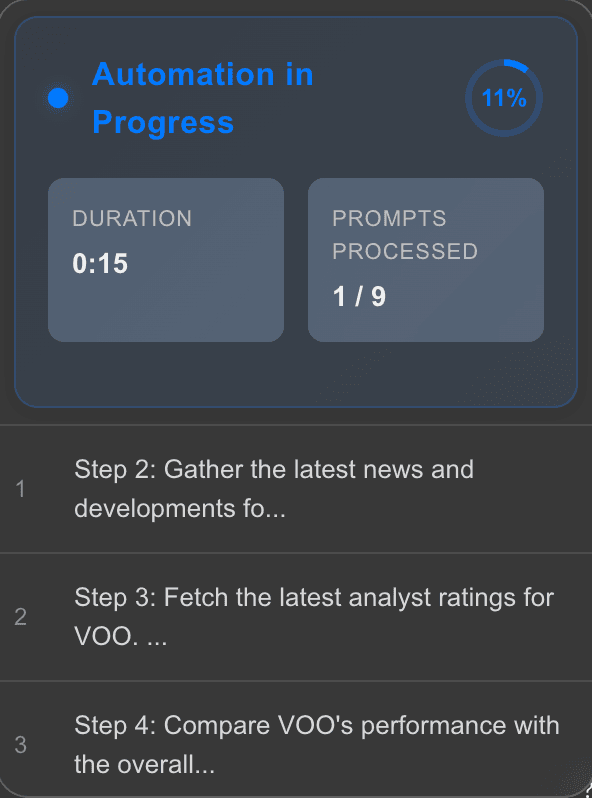
Prompt chaining lets you break complex tasks into sequential steps, where each step builds on the results of previous steps. This enables sophisticated, multi-step workflows that can accomplish complex goals.
What is Prompt Chaining?
Prompt chaining connects multiple prompts together using the ~ (tilde) separator. Each section separated by ~ is executed as a separate step, with results from earlier steps available to later steps.
Simple Example:
Research [Topic]~
Summarize the findings~
Create a Google Doc with the summary
This workflow:
- First researches the topic
- Then summarizes the findings (using results from step 1)
- Finally creates a Google Doc (using results from step 2)
Basic Syntax
Separating Steps
Use ~ (tilde) to separate steps:
Step 1 description~
Step 2 description~
Step 3 description
Step Structure
Each step should be:
- Complete: A full instruction, not a fragment
- Action-oriented: Tell the agent what to do
- Specific: Clear about expected output
Good:
Research the top 5 competitors in [Industry]~
Analyze their pricing strategies~
Create a comparison document
Avoid:
Research~
Analyze~
Create
How Prompt Chaining Works
Sequential Execution
Steps execute one after another:
- Step 1 runs and produces results
- Step 2 receives Step 1's results as context
- Step 3 receives both Step 1 and Step 2's results
- And so on...
Context Passing
Each step has access to:
- Results from all previous steps
- Variables filled in at the start
- Tool outputs from previous steps
Example Flow
Research [Topic] and find the top 5 key points~
Create a summary document with those key points~
Format the summary for [Format]~
Share the formatted summary via Slack
Execution:
- Step 1 researches and finds 5 key points
- Step 2 creates summary using those 5 points
- Step 3 formats using the summary from step 2
- Step 4 shares the formatted content
Building Effective Chains
Step 1: Break Down the Task
Identify logical steps:
Task: "Create a competitor analysis report"
Steps:
- Research competitors
- Analyze their strategies
- Compare features
- Create report document
- Share report
Step 2: Write Each Step
Make each step clear and actionable:
Research the top 5 competitors in [Industry]~
Analyze each competitor's pricing, features, and market position~
Create a comparison table of key features~
Write a comprehensive analysis report~
Create a Google Doc with the report
Step 3: Add Variables
Include variables where needed:
[Industry]=[Industry to analyze]
[Format]=[Report format: detailed / summary]

Research the top 5 competitors in [Industry]~
Analyze their strategies~
Create a [Format] report~
Format for [Format]~
Share the report
Step 4: Tell Agent to Use Tools
Simply describe what tools to use in natural language:
Research [Topic] using web search~
Summarize findings~
Create a Google Doc with the summary~
Share the document via Slack to #research
Your agent will automatically use Perplexity, Google Docs, and Slack if those tools are enabled.
Best Practices
1. Limit Chain Length
- Recommended: 3-5 steps maximum
- Too many steps can be hard to follow
- Break very long chains into separate workflows
2. Make Steps Independent
Each step should be understandable on its own:
Good:
Research [Topic]~
Summarize the research findings~
Create a document with the summary
Avoid:
Research [Topic]~
Summarize it~
Create it
("it" is unclear without context)
3. Build Progressively
Each step should build on previous steps:
Step 1: Gather data
Step 2: Analyze the data from step 1
Step 3: Create output using analysis from step 2
4. Use Clear Instructions
Be specific about what each step should do:
Good:
Research [Topic] and identify the top 5 key points~
Create a summary document with those 5 key points~
Format the summary as a blog post
Avoid:
Research [Topic]~
Do something with it~
Make it better
Advanced Techniques
Conditional Logic
While templates don't have explicit conditionals, you can structure steps to handle different scenarios:
Research [Topic]~
If the research finds [Condition], then [Action A], otherwise [Action B]~
Proceed with the appropriate action
Data Transformation
Transform data between steps:
Step 1: Gather raw data~
Step 2: Clean and structure the data~
Step 3: Analyze the structured data~
Step 4: Visualize the analysis
Iterative Processing
Process multiple items:
For each item in [List]:
  Research the item~
  Summarize findings~
  Add to master document
Examples
Content Creation Chain
[Topic]=[Topic to write about]
[Audience]=[Target audience]
[Format]=[Blog post / Email / Social media]

Research [Topic] for [Audience]~
Create an outline in [Format] format~
Write the full content based on the outline~
Review and refine the content~
Format the content for [Format]
Research & Analysis Chain
[Research Topic]=[What to research]

Search for information about [Research Topic] using web search~
Summarize the top 5 findings~
Identify key insights and trends~
Create a comprehensive analysis~
Create a Google Doc with the analysis~
Share the document via Slack to #research
Automation Chain
[Customer Name]=[Customer name]
[Order Number]=[Order ID]

Retrieve order [Order Number] for [Customer Name]~
Generate a status update email~
Format the email professionally~
Send email to [Customer Name] via Gmail~
Log the interaction in HubSpot CRM
Troubleshooting
Steps Not Executing
- Check
~placement: Should be between steps, not in the middle - Verify step syntax: Each step should be complete
- Review error messages in activity drawer
Context Not Passing
- Ensure steps are properly separated with
~ - Check that previous steps completed successfully
- Review step outputs in activity drawer
Chain Too Long
- Break into smaller chains
- Create separate workflows for different phases
- Use background tasks for long chains
Next Steps
- Templates Overview - Learn more about template syntax
- Variables - Use variables in your workflows
- Available Tools - See all available integrations