Prompt Library Overview
Access 100+ one-click workflows ready to use today
Prompt Library Overview
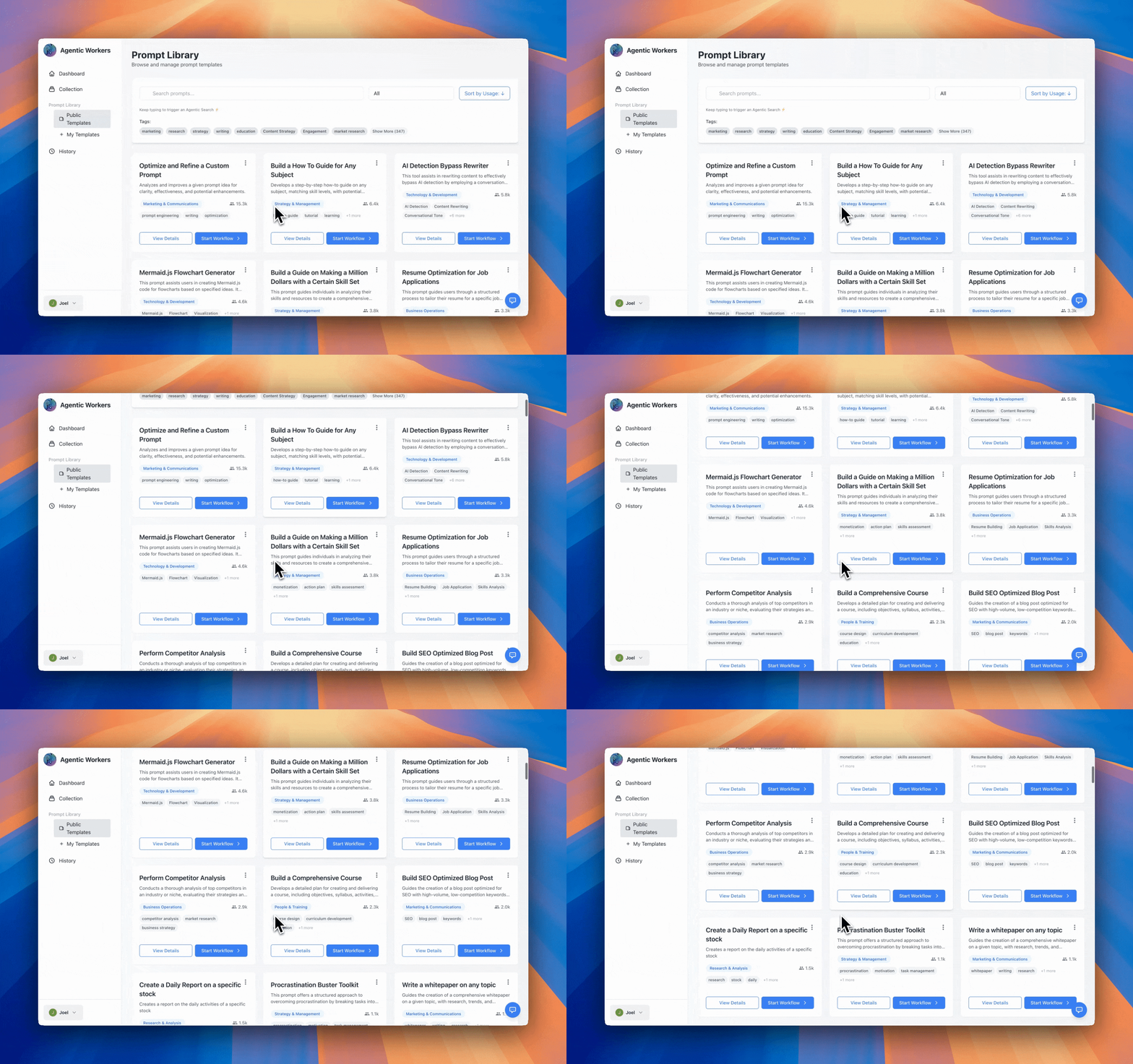
The Prompt Library gives you instant access to 100+ pre-built, one-click workflows that you can use today. No need to write prompts from scratch—browse our collection of battle-tested workflows and execute them with a single click.
What is the Prompt Library?
The Prompt Library is a curated collection of ready-to-use workflows covering every aspect of your business:
- 100+ Pre-built Workflows: Tested and proven workflows ready to execute
- One-Click Execution: Start workflows instantly without setup
- Public Templates: Community-shared workflows available to everyone
- Your Library: Private workflows you've saved and customized
- Shared Libraries: Workflows shared by your team or community
Each workflow includes:
- Name and Description: Clear explanation of what the workflow does
- Category: Organized by business function (Marketing, Operations, Research, etc.)
- Variables: Simple input fields you fill in before execution
- Usage Count: See how many times it's been successfully used
- Tags: Easy discovery through relevant tags
Browsing Templates
By Category
Templates are organized into categories:
- Business Operations: Daily business tasks and workflows
- Marketing & Communications: Content creation, social media, email campaigns
- Research & Analysis: Data gathering, analysis, reporting
- Strategy & Management: Planning, decision-making, strategy
- Technology & Development: Technical tasks and coding workflows
- Legal & Compliance: Legal research and compliance tasks
- Design & User Experience: Design workflows and UX tasks
- People & Training: HR, training, and people management
By Popularity
The library shows templates sorted by usage count, helping you discover the most popular workflows.
By Search
Use the search bar to find templates by:
- Name
- Description
- Tags
- Category
Finding Workflows
Method 1: Browse Categories
- Go to Prompt Library
- Click on a category that interests you
- Browse available templates
- Click on any template to view details
Method 2: Search
- Use the search bar at the top
- Enter keywords related to what you need
- Review search results
- Click on a template to learn more
Method 3: Agentic Search
If you can't find what you're looking for:
- Use Agentic Search (the sparkle icon)
- Describe what you want to accomplish
- Agentic Workers will generate 6 potential workflows
- Choose the one that best fits your needs
One-Click Workflow Execution
How It Works
With 100+ workflows at your fingertips, getting started is simple:
- Browse or Search: Find the workflow you need from our collection
- Click to Use: Select any workflow template
- Fill Variables: Enter any required information (if needed)
- Execute: Click "Start Workflow" and watch it run
Step-by-Step: Using a Workflow
Step 1: Find Your Workflow
Browse by category, search by keyword, or use Agentic Search to discover workflows:
- Go to Prompt Library
- Browse categories or use the search bar
- Click on any workflow card to view details
Step 2: Fill Variables (if required)
Many workflows use variables for customization:
- Click "Use Template" on any workflow
- A modal appears with input fields
- Fill in required variables (e.g.,
[Topic],[Target Audience],[Date]) - Variables appear as blue pills in the preview
- Click "Start Workflow" when ready
Step 3: Execute Instantly
Choose your execution mode:
- Agent Mode: Run directly on Agentic Workers with ultra-fast inference
- Chat Mode: Run in ChatGPT, Claude, or Gemini (requires browser extension)
Monitor progress in real-time through the activity drawer and view results when complete.
Why One-Click Execution?
- No Setup Required: Workflows are pre-configured and ready to use
- Instant Results: Start executing immediately after selecting a workflow
- Tested & Proven: All workflows are battle-tested by the community
- Save Time: Skip the prompt engineering and get straight to results
Saving Templates to Your Library
From the Library
- Find a template you like
- Click the "Save" button
- The template is now in your library
Quick Save from Web
Using the browser extension:
- Find a prompt on any website
- Right-click and select "Save to Agentic Workers"
- The prompt is saved to your library
- Edit and customize it later
Organizing Your Library
Tags
Add tags to your saved templates:
- Click "Edit" on any template
- Add relevant tags
- Use tags to filter and search
Categories
Assign categories to organize templates:
- Business Operations
- Marketing
- Research
- And more...
Private vs Public
- Private: Only you can see and use
- Public: Share with the community (optional)
Available Workflows (100+)
Our library includes workflows across all business functions:
Content Creation
- Blog post generation
- Social media content creation
- Email campaign writing
- Newsletter generation
- Content repurposing
Research & Analysis
- Market research reports
- Competitor analysis
- Data gathering and synthesis
- Trend analysis
- Industry insights
Business Operations
- Document generation
- Report creation
- Data entry automation
- Email triage and organization
- Task management
Marketing & Communications
- Campaign planning
- Audience research
- Content strategy
- Social media planning
- Email marketing
Strategy & Management
- Business planning
- Decision analysis
- Project planning
- Performance reviews
- Strategic analysis
And Many More
With 100+ workflows and growing, you'll find solutions for:
- Legal research and compliance
- Design and UX tasks
- HR and training
- Technology and development
- Customer support
- Sales automation
All workflows are:
- ✅ Ready to use - No configuration needed
- ✅ One-click execution - Start immediately
- ✅ Tested by community - Proven to work
- ✅ Regularly updated - Always improving
Next Steps
- Saving & Organizing Prompts - Learn how to build your own library
- Agentic Search - Generate custom workflows
- Templates & Variables - Understand how variables work